
Accessible Learning Materials
User guide · Assistive technology support
Context
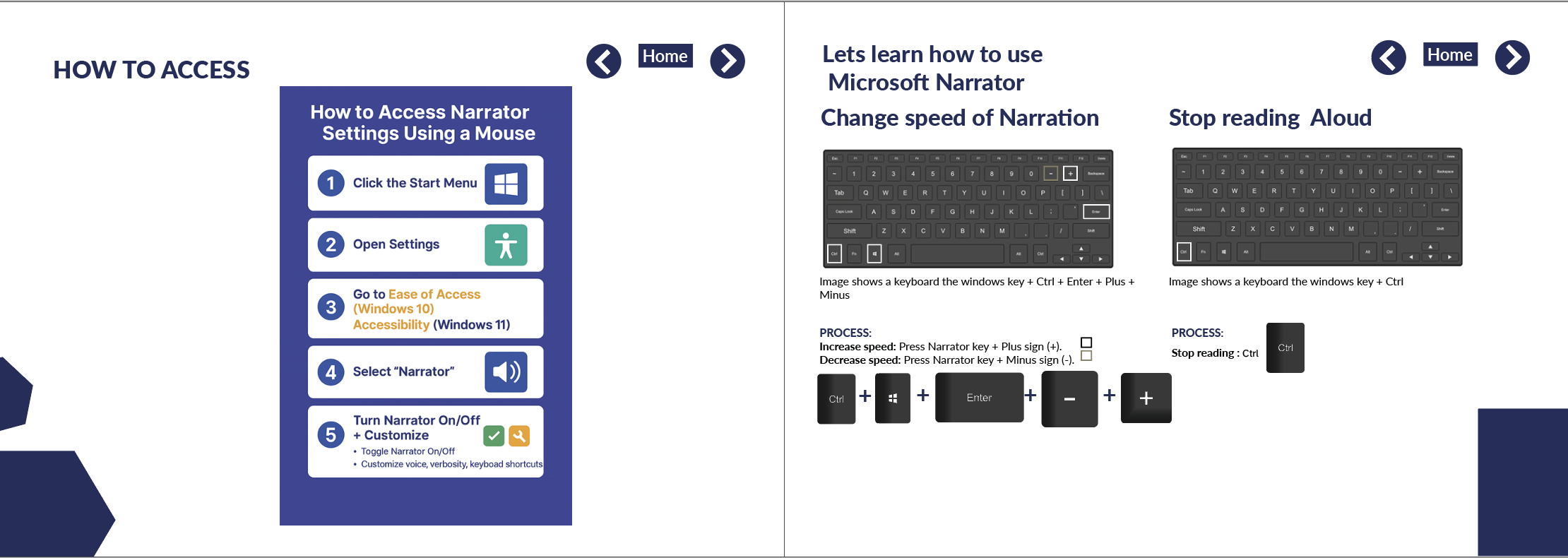
Creation of an accessible user guide for Microsoft Narrator, the built-in screen reader in Windows.
The guide was designed to support users who rely on screen readers and other assistive technologies, including people with visual impairments and cognitive disabilities.
Accessibility & Design Approach
Content structured for clear reading order and screen reader navigation
Plain language used to reduce cognitive load
Logical headings and step-by-step instructions
Designed to be usable with keyboard and assistive technology alone
Outcome
A clear, inclusive learning resource that helps users understand and use screen reader functionality with confidence and independence.
Why This Matters
This project demonstrates accessibility-led content and layout design, ensuring learning materials are usable by assistive technology users rather than merely describing accessibility in theory.